Learn what a CDN (Content Delivery Network) is, why it’s important in website development, how it works, and how to set it up for speed, security, and SEO.
🌐 CDN in Website Development: What It Is, Why You Need It, and How to Use It
When it comes to website development, most developers and business owners think about design, content, and coding. But once the website goes live, the biggest challenges are speed, security, and scalability. That’s where a CDN (Content Delivery Network) makes all the difference.
🔍 What is a CDN?
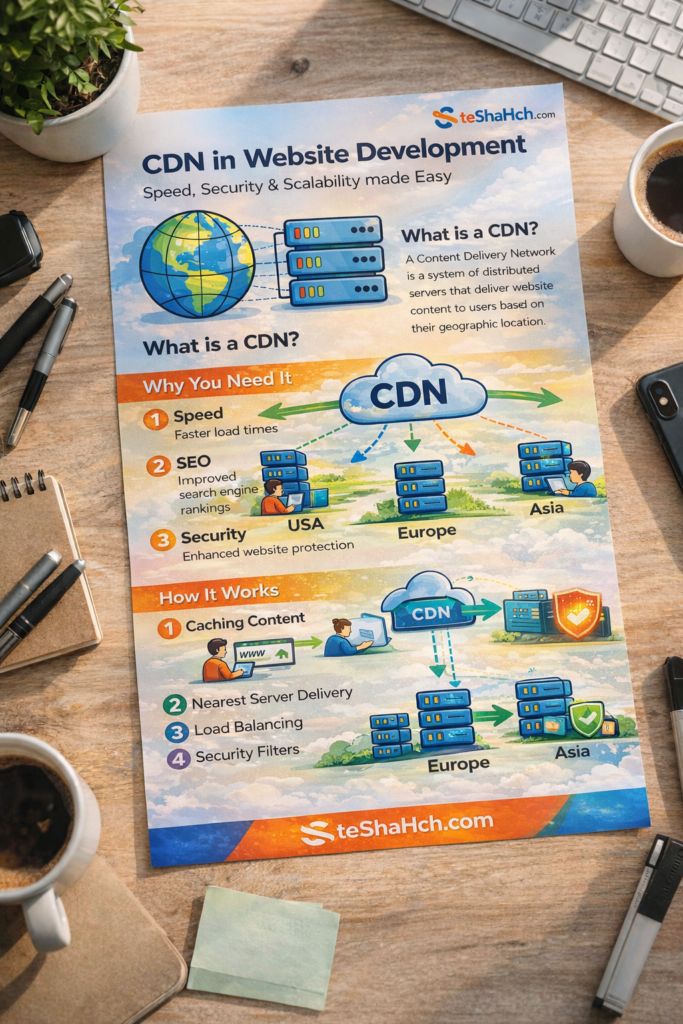
A Content Delivery Network (CDN) is a system of servers distributed around the world. These servers store cached versions of your website’s static content such as:
- HTML, CSS, and JavaScript files
- Images and icons
- Videos and audio files
- Fonts and graphics
👉 Instead of delivering content only from your main hosting server, a CDN delivers it from the nearest available server to the user.
For example:
- If your hosting server is in the US and a visitor opens your website from India, without a CDN, data has to travel across continents.
- With a CDN, the same visitor gets data from a nearby Indian server (like Mumbai or Singapore) → much faster loading time.
⚡ Why Do You Need a CDN in Website Development?
1. Speed Optimization
Slow-loading websites frustrate users. A CDN reduces latency and makes websites load within seconds, improving user satisfaction.
2. Better SEO Performance
Google and other search engines prioritize websites that load quickly. Faster speed = higher SEO rankings = more visitors.
3. Website Security
Most CDN providers give built-in DDoS protection, SSL support, firewall, and bot filtering. This helps protect your website from cyberattacks.
4. Scalability & Reliability
If your website suddenly gets thousands of visitors (like during an online sale, news article, or viral post), a CDN prevents your main server from crashing by balancing the traffic.
5. Global Reach
If your audience is spread across different countries, a CDN ensures they all get the same fast and reliable experience, no matter their location.
⚙️ How Does a CDN Work?
- Caching Content – The CDN stores copies of your static files on multiple servers worldwide.
- Nearest Server Delivery – When a user requests your site, the CDN chooses the server closest to that user.
- Load Balancing – If one server is overloaded, the CDN automatically shifts traffic to another server.
- Security Filters – Malicious traffic is blocked before it reaches your main server.
👉 Think of it like a food delivery system: instead of everyone ordering from a single kitchen in one city, you create many branch kitchens worldwide. Users always get food from the closest kitchen.
🛠️ How to Set Up a CDN for Your Website
Setting up a CDN is easier than many think. Here’s a step-by-step guide:
Step 1: Choose a CDN Provider
Popular options:
- Cloudflare (Free & Paid Plans)
- Amazon CloudFront
- Google Cloud CDN
- Akamai
Step 2: Connect Your Domain
- Sign up with a CDN provider.
- Add your website domain to their dashboard.
Step 3: Update DNS Settings
- Your CDN provider will give you new Nameservers.
- Replace your current domain nameservers with these (from your domain registrar like GoDaddy, Namecheap, etc.).
Step 4: Configure CDN Settings
- Enable caching for static files (images, CSS, JS).
- Turn on SSL/TLS for HTTPS security.
- Use firewall/DDoS protection features.
Step 5: Test Your Website
- Open your site from different locations or use tools like GTmetrix or Google PageSpeed Insights to check performance improvements.
🌍 Best CDN Providers for Developers
- Cloudflare → Beginner-friendly, free plan available.
- Amazon CloudFront → Best for large-scale projects.
- Google Cloud CDN → Works well with Google Cloud hosting.
- Akamai → Enterprise-level, powerful but expensive.
✅
In modern website development, a CDN is no longer optional. It is a must-have tool for:
- Faster loading speed
- Stronger website security
- Better SEO rankings
- Handling high traffic without downtime
👉 If you are a developer, blogger, or business owner, integrating a CDN into your website will improve both user experience and online visibility.