Learn what JDK (Java Development Kit) is, how it works, its components, and how to install it. Beginner-friendly guide with examples explaining JDK, JRE, and JVM.
🧠 What is JDK (Java Development Kit)? Complete Beginner Guide with Examples
If you want to start Java programming, one of the first tools you must install is the JDK (Java Development Kit).
Many beginners get confused between JDK, JRE, and JVM.
But once you understand how they work together, Java becomes much easier to learn.
In simple words:
👉 JDK is the complete toolkit that allows developers to create Java applications.
With JDK you can:
✔ Write Java programs
✔ Compile Java code
✔ Run Java applications
✔ Debug errors
In this beginner-friendly guide from teShaHch.com, we will learn:
⭐ What JDK is
⭐ Components of JDK
⭐ How JDK works
⭐ JDK vs JRE vs JVM
⭐ How to install JDK
⭐ Simple Java example
📦 What is JDK?
JDK (Java Development Kit) is a software development kit used to build Java applications.
It contains everything a developer needs to write, compile, and run Java programs.
Simple Formula
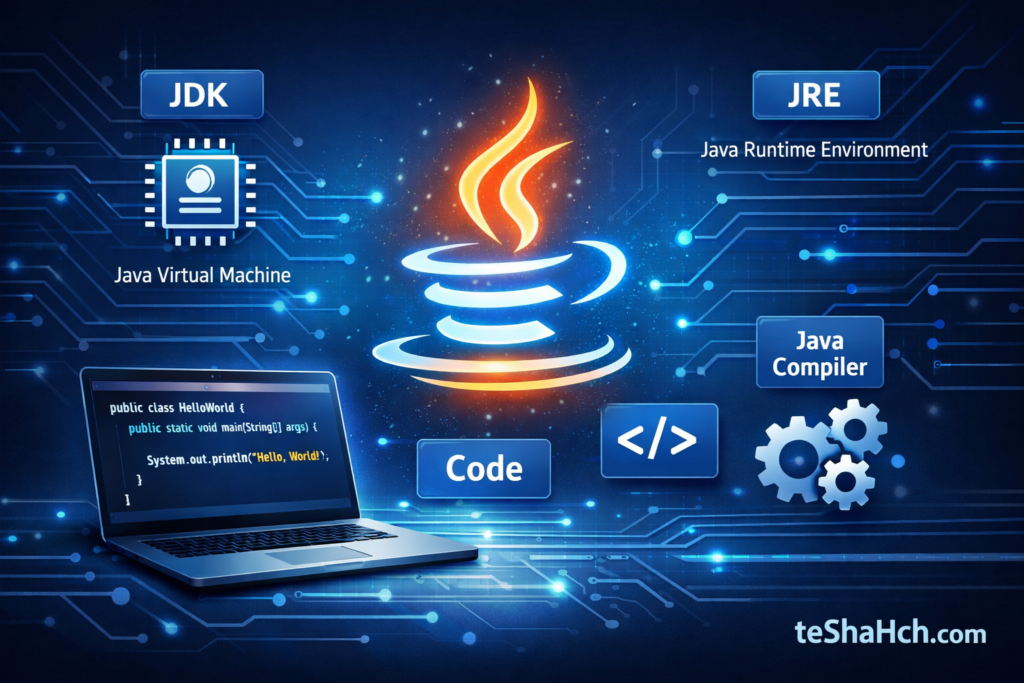
🧩 JDK = JRE + Development Tools
Meaning:
- JRE runs Java programs
- Tools help developers create Java programs
So if you want to develop Java software, you must install the JDK.
⚙️ Main Components of JDK
The JDK includes several important tools.
1️⃣ JVM (Java Virtual Machine)
The JVM is responsible for running Java programs.
💡 It converts Java bytecode into machine-readable instructions.
Because of JVM, Java programs can run on different operating systems.
👉 This is why Java is called:
🌍 “Write Once, Run Anywhere”
2️⃣ JRE (Java Runtime Environment)
The JRE provides the environment required to run Java programs.
It includes:
✔ JVM
✔ Core Java libraries
✔ Runtime files
If you only want to run Java applications, JRE is enough.
But if you want to create Java programs, you need JDK.
3️⃣ Java Compiler (javac)
The Java compiler converts Java source code into bytecode.
Example:
HelloWorld.javaAfter compilation:
HelloWorld.classThis .class file is executed by the JVM.
4️⃣ Java Debugger (jdb)
The Java Debugger helps developers find and fix errors in programs.
You can:
🔎 Track bugs
🔎 Pause program execution
🔎 Check variable values
5️⃣ JAR Tool
The JAR (Java Archive) tool packages multiple Java files into a single file.
Example:
project.jarThis makes it easier to share or distribute Java applications.
🧩 How JDK Works (Step-by-Step)
Let’s understand the Java execution process.
Step 1️⃣ Write Code
First, the developer writes Java code.
Example:
class HelloWorld {
    public static void main(String[] args) {
        System.out.println("Welcome to teShaHch.com!");
    }
}
File name:
HelloWorld.javaStep 2️⃣ Compile the Program
Using JDK compiler:
javac HelloWorld.javaThis converts the code into bytecode.
Output file:
HelloWorld.classStep 3️⃣ Run the Program
Now JVM runs the program:
java HelloWorldOutput:
Welcome to teShaHch.com!🎉 Congratulations! Your first Java program is executed.
🔄 JDK vs JRE vs JVM
| Feature | JDK | JRE | JVM |
|---|---|---|---|
| Full Form | Java Development Kit | Java Runtime Environment | Java Virtual Machine |
| Purpose | Develop Java apps | Run Java apps | Execute bytecode |
| Includes | JRE + tools | JVM + libraries | Execution engine |
| Used by | Developers | Users | Both |
👉 JDK is the complete package.
💻 How to Install JDK (Step-by-Step)
Step 1
Go to the official Java website
https://www.oracle.com/java/technologies/downloads
Step 2
Download the latest JDK version
Example:
✔ JDK 21
✔ JDK 17
Step 3
Install it on your computer.
Follow the installation wizard.
Step 4
Check installation using command prompt.
java -versionjavac -versionIf the version appears, installation is successful.
⭐ Why JDK is Important for Developers
JDK is essential because it allows developers to:
✔ Build Java applications
✔ Compile Java programs
✔ Debug errors
✔ Package software
✔ Run Java applications on multiple platforms
Many technologies depend on Java:
💻 Android Development
🌐 Web Applications
🏦 Banking Systems
☁ Enterprise Software
So learning JDK is the first step toward becoming a Java developer.
💡 Beginner Tips
If you are starting Java programming:
✅ Install the latest JDK version
✅ Use VS Code / IntelliJ IDEA
✅ Practice simple programs
✅ Understand JVM and JRE clearly
🏁
The Java Development Kit (JDK) is the foundation of Java programming. Without JDK, developers cannot compile or run Java programs.
Understanding how JDK, JRE, and JVM work together helps beginners learn Java much faster.
If you want to start your journey in Java development, installing the JDK is the first step.
Keep learning and practicing — and soon you’ll be building powerful Java applications! 🚀
⭐ Recommended Reading on teShaHch.com
- What is JVM
- What is JRE
- Java Programming Basics