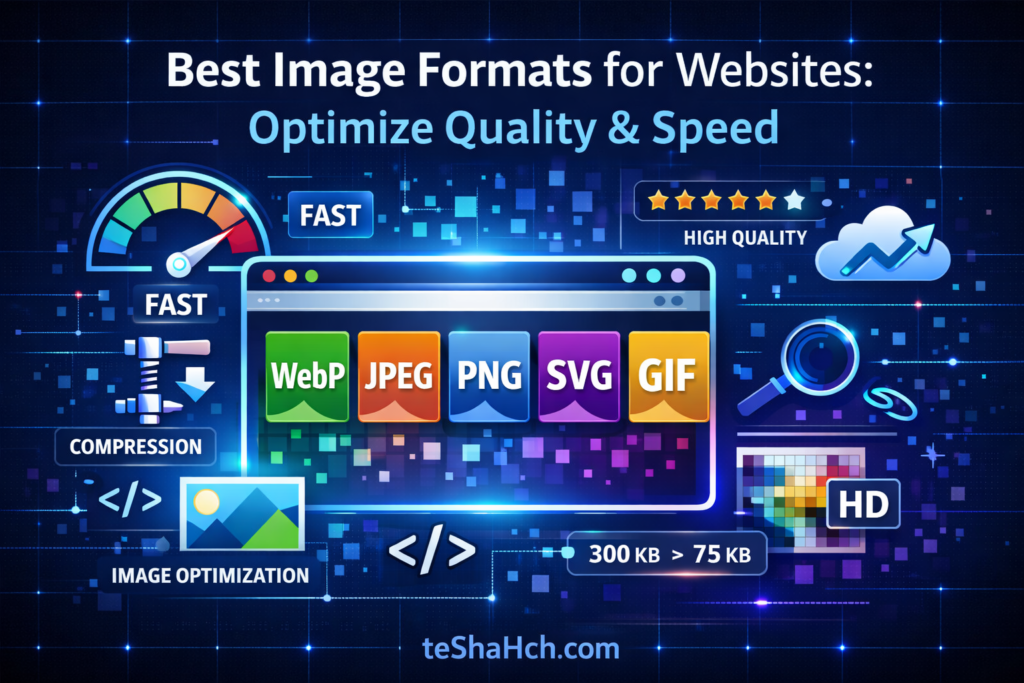
Learn the best image formats for websites including WebP, JPEG, PNG, SVG, and GIF. A complete developer guide to optimize image quality, speed, and SEO performance.
🌐 Best Image Formats for Websites: Optimize Quality & Speed
Images play a critical role in modern website development. They improve user engagement, visual storytelling, branding, and conversion rates. However, using the wrong image format can slow down your website, increase page size, and negatively impact SEO rankings.
For developers and website owners, choosing the correct image format is essential for performance optimization, faster loading, and better user experience.
In this guide, we will explore the most important image formats used in web development and help you decide which one to use and when.
🟢 1. WebP – The Modern Standard for Websites
WebP is a next-generation image format developed by Google. It provides superior compression with excellent visual quality, making it ideal for modern websites.
⚙️ Key Features
✔ Supports lossy compression (smaller file size)
✔ Supports lossless compression (high quality)
✔ Supports transparency like PNG
✔ Supports animation like GIF
🚀 Advantages
✅ Images are 25–35% smaller than JPEG or PNG
✅ Improves website loading speed
✅ Helps improve Core Web Vitals & SEO
✅ Supported by modern browsers like Chrome, Firefox, Edge, Safari
⚠ Limitations
❌ Very old browsers may not support WebP
❌ Some older editing tools may require plugins
💡 Example
A 1MB JPEG banner can become 600KB in WebP with almost identical visual quality.
🎯 Best Use Cases
✔ Blog images
✔ Website banners
✔ Landing page graphics
✔ Animated images
👉 Recommended for most modern websites
🟡 2. JPEG / JPG – The Classic Photo Format
JPEG (Joint Photographic Experts Group) is one of the most commonly used image formats on the internet.
It uses lossy compression, which reduces file size by removing some image data.
⚙️ Features
✔ Lossy compression
✔ Smaller file sizes
✔ Wide browser compatibility
🚀 Advantages
✅ Universally supported across all browsers
✅ Excellent for photographs and complex images
✅ Smaller file size compared to PNG
⚠ Limitations
❌ Does not support transparency
❌ Repeated editing reduces quality
💡 Example
E-commerce platforms like Amazon use JPEG for product photos because it balances quality and size.
🎯 Best Use Cases
✔ Photography
✔ Blog images
✔ Product photos
✔ Website galleries
🔵 3. PNG – Perfect for Transparency & Graphics
PNG (Portable Network Graphics) is a lossless format, meaning it preserves image quality completely.
It is widely used for graphics, logos, and UI elements.
⚙️ Features
✔ Lossless compression
✔ Supports alpha transparency
✔ High-quality graphics
🚀 Advantages
✅ Perfect for logos and UI graphics
✅ Maintains sharp edges and text clarity
✅ No quality loss
⚠ Limitations
❌ Larger file size compared to WebP or JPEG
❌ Not ideal for large photographic images
💡 Example
A transparent website logo placed on different backgrounds works best with PNG.
🎯 Best Use Cases
✔ Logos
✔ Icons
✔ UI elements
✔ Illustrations
🟣 4. SVG – Scalable Vector Graphics
SVG (Scalable Vector Graphics) is a vector-based format, meaning it scales infinitely without losing quality.
Unlike other formats, SVG images are built using XML code.
⚙️ Features
✔ Vector format
✔ Infinitely scalable
✔ Can be styled with CSS & JavaScript
🚀 Advantages
✅ Perfect for responsive design
✅ Extremely lightweight
✅ Search engines can read SVG text for SEO
⚠ Limitations
❌ Not suitable for detailed photographs
❌ Requires vector design knowledge
💡 Example
Most modern UI libraries and icon systems use SVG icons.
🎯 Best Use Cases
✔ Icons
✔ Logos
✔ Infographics
✔ Diagrams
🟠 5. GIF – For Simple Animations
GIF (Graphics Interchange Format) is an older format mainly used for animations.
⚙️ Features
✔ Supports animation
✔ Limited to 256 colors
🚀 Advantages
✅ Simple animated graphics
✅ Works on every browser and device
⚠ Limitations
❌ Larger file sizes compared to modern formats
❌ Limited color range
💡 Example
Short animated banners or loading indicators often use GIF.
🎯 Best Use Cases
✔ Memes
✔ Simple animations
✔ UI loading indicators
📊 Image Format Comparison Table
| Format | Transparency | Animation | File Size | Best Use |
|---|---|---|---|---|
| WebP | ✅ | ✅ | Small | Photos, graphics, banners |
| JPEG | ❌ | ❌ | Small | Photographs |
| PNG | ✅ | ❌ | Large | Logos & graphics |
| SVG | ✅ | ⚙ (via code) | Very Small | Icons & vectors |
| GIF | ✅ | ✅ | Medium-Large | Animations |
⚡ Pro Tips for Website Developers
🧠 Image Optimization Best Practices
✔ Compress images before uploading
✔ Use WebP whenever possible
✔ Use responsive images (srcset)
✔ Implement lazy loading
✔ Use descriptive alt text for SEO
🛠 Popular Image Optimization Tools
🔧 TinyPNG – PNG & JPEG compression
🔧 Squoosh – advanced format conversion
🔧 ImageOptim – lossless compression
🔧 ShortPixel – WordPress optimization plugin
🎯
Choosing the correct image format can dramatically improve website performance, SEO rankings, and user experience.
🏆 Quick Recommendations
✔ WebP → Best modern format for websites
✔ JPEG → Best for photographs
✔ PNG → Best for transparency and graphics
✔ SVG → Best for logos and icons
✔ GIF → Best for simple animations
By implementing proper image formats, compression, and responsive techniques, developers can create fast, efficient, and visually stunning websites.
✅ Developer Tip:
Optimized images can reduce page size by 40–70%, which directly improves Core Web Vitals and Google ranking signals.