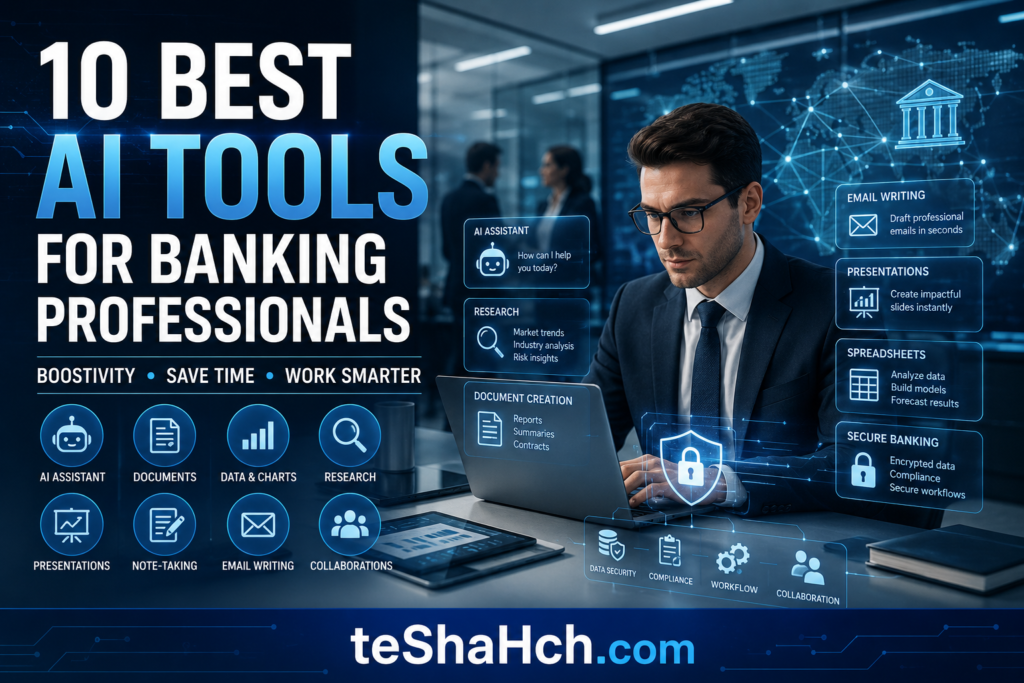
Discover the 10 best AI tools for banking professionals. Learn how bank employees can use AI for emails, reports, Excel, customer service, research, presentations, compliance, and productivity. The ultimate guide for bankers.
🤖 10 Best AI Tools for Banking Professionals : The Ultimate Guide to Working Smarter
The Complete Guide to Choosing the Right AI Assistant
Artificial Intelligence is changing how banking professionals work.
Today, AI is no longer just for software engineers or data scientists.
Whether you’re a:
🏦 Branch Manager
💰 Loan Officer
📈 Relationship Manager
📊 Credit Analyst
📋 Operations Executive
📞 Customer Service Officer
AI tools can help you work faster, improve documentation, write professional emails, organize reports, analyze information, and become more productive.
But with hundreds of AI tools available, one question remains:
Which AI tools are actually useful for banking professionals?
This guide answers that question.
Instead of listing random AI websites, we’ll focus on practical tools that can genuinely improve a bank employee’s daily workflow.
🏦 Why Bank Employees Should Learn AI Tools
Modern banking involves much more than handling financial transactions.
Today’s professionals spend significant time on:
📧 Emails
📊 Reports
📈 Business Analysis
📋 Documentation
📄 Compliance
📅 Meetings
📚 Learning
📑 Customer Communication
Many of these tasks are repetitive.
AI tools help reduce manual effort so professionals can focus on:
✔ Customer relationships
✔ Business growth
✔ Decision-making
✔ Problem solving
✔ Compliance
🏆 How We Selected These AI Tools
The tools in this guide were selected based on:
✅ Ease of Use
✅ Productivity Benefits
✅ Professional Quality
✅ Learning Curve
✅ Banking Use Cases
✅ Reliability
✅ Popularity
These tools are not designed to replace banking professionals.
Instead, they act as intelligent workplace assistants.
🥇 AI Tool #1 — ChatGPT
Best Overall AI Assistant for Banking Professionals
⭐ Best For
✔ Email Writing
✔ Report Drafting
✔ Customer Communication
✔ Learning Banking Concepts
✔ Productivity
✔ Brainstorming
✔ Documentation
Why Bank Employees Love ChatGPT
ChatGPT is one of the easiest AI tools to learn.
It can help create:
📧 Professional Emails
📋 Meeting Minutes
📊 Report Drafts
📚 Banking Explanations
📈 Presentation Outlines
📄 Policy Summaries
Practical Banking Use Cases
Loan Officer
✔ Draft customer emails
✔ Explain loan processes
✔ Prepare document checklists
Branch Manager
✔ Branch review reports
✔ Staff communication
✔ Meeting agendas
Operations Team
✔ Compliance checklists
✔ Daily work plans
✔ Internal documentation
Advantages
✅ Beginner Friendly
✅ Fast Responses
✅ Excellent Writing Quality
✅ Great for Daily Banking Tasks
Limitations
❌ Always review responses before using them.
❌ Never share confidential banking information.
Overall Rating
⭐⭐⭐⭐⭐ (5/5)
🥈 AI Tool #2 — Microsoft Copilot
Best AI Tool for Microsoft Office Users
Many banks already rely heavily on Microsoft products.
If your organization uses:
📄 Word
📊 Excel
📧 Outlook
📽 PowerPoint
Microsoft Copilot can become a powerful productivity assistant.
Best For
📧 Outlook Emails
📊 Excel Analysis
📄 Word Documents
📽 Presentations
📅 Meeting Notes
Banking Use Cases
✔ Draft Outlook emails
✔ Summarize Word documents
✔ Analyze Excel spreadsheets
✔ Prepare presentations
✔ Meeting summaries
Advantages
✅ Deep Microsoft 365 Integration
✅ Excellent Excel Support
✅ Familiar Interface
Limitations
❌ Best experience often depends on your organization’s Microsoft 365 setup.
Overall Rating
⭐⭐⭐⭐⭐ (5/5)
🥉 AI Tool #3 — Google Gemini
Best AI Tool for Google Workspace Users
Professionals using:
📧 Gmail
📄 Google Docs
📊 Google Sheets
📽 Google Slides
can improve productivity using Google Gemini.
Best For
✔ Research
✔ Writing
✔ Summarization
✔ Brainstorming
✔ Google Workspace
Banking Use Cases
✔ Customer communication
✔ Product summaries
✔ Banking presentations
✔ Staff documentation
Advantages
✅ Fast
✅ Clean Interface
✅ Strong Google Ecosystem Integration
Limitations
❌ Responses should always be reviewed before use in professional settings.
Overall Rating
⭐⭐⭐⭐⭐ (5/5)
🏅 AI Tool #4 — Claude AI
Best AI Tool for Reading Long Documents
Banking professionals regularly work with:
📄 Policy Manuals
📄 Compliance Documents
📄 RBI Circulars
📄 Training Materials
📄 Internal SOPs
Claude is particularly useful for summarizing and organizing long-form content.
Best For
📚 Reading
📄 Summarization
📑 Documentation
📋 Professional Writing
Banking Use Cases
✔ Compliance summaries
✔ Internal documentation
✔ SOP explanations
✔ Employee training material
Advantages
✅ Excellent Long-Document Understanding
✅ Clear Writing Style
✅ Professional Responses
Limitations
❌ Always compare AI summaries with official documents before acting on them.
Overall Rating
⭐⭐⭐⭐⭐ (5/5)
🏅 AI Tool #5 — Perplexity AI
Best AI Tool for Banking Research
Banking professionals frequently need reliable information on:
📈 Banking trends
📚 Financial concepts
📑 Regulatory topics
💻 Fintech developments
Perplexity AI is designed for research and typically provides sources for its answers, making it useful when you want to verify information.
Best For
🔍 Research
📚 Learning
📈 Industry Trends
📰 News Summaries
📖 Knowledge Discovery
Banking Use Cases
✔ Understanding banking terminology
✔ Exploring fintech innovations
✔ Researching digital banking topics
✔ Learning new financial concepts
Advantages
✅ Fast Research
✅ Source-Based Answers
✅ Great for Learning
Limitations
❌ Verify important regulatory or policy information using official sources before relying on it.
Overall Rating
⭐⭐⭐⭐⭐ (5/5)
📌 Key Takeaways So Far
After reviewing the first five AI tools:
🥇 ChatGPT — Best overall productivity assistant
🥇 Microsoft Copilot — Best for Microsoft Office users
🥇 Google Gemini — Best for Google Workspace users
🥇 Claude AI — Best for document summarization
🥇 Perplexity AI — Best for research and learning
Each tool has different strengths, and many banking professionals may find that using more than one tool is more effective than relying on a single platform.
🏅 AI Tool #6 — Grammarly
Best AI Writing Assistant for Professional Banking Communication
Clear and professional communication is essential in banking.
Whether you’re writing to customers, colleagues, or senior management, Grammarly helps improve grammar, spelling, clarity, and tone.
⭐ Best For
📧 Customer Emails
📄 Internal Communication
📋 Business Reports
📝 Professional Writing
Banking Use Cases
✔ Improve customer email tone
✔ Eliminate grammar mistakes
✔ Make reports more professional
✔ Rewrite complex sentences
✔ Improve readability
Example Workflow
Write the first draft using ChatGPT, then review and polish it with Grammarly before sending.
Advantages
✅ Excellent grammar correction
✅ Professional writing suggestions
✅ Easy to use
✅ Saves proofreading time
Limitations
❌ It improves writing quality but does not verify banking facts or compliance requirements.
Overall Rating
⭐⭐⭐⭐⭐ (5/5)
🏅 AI Tool #7 — Canva AI
Best AI Tool for Banking Presentations & Training Materials
Many banking professionals prepare:
📊 Business Reviews
🎓 Staff Training
📈 Sales Presentations
📢 Awareness Campaigns
Canva AI helps create professional-looking visual materials quickly.
Best For
📽 Presentations
📢 Posters
📘 Training Materials
📊 Infographics
Banking Use Cases
✔ Branch performance presentations
✔ Customer awareness posters
✔ Internal training slides
✔ Digital banking campaigns
✔ Financial literacy materials
Advantages
✅ Beginner-friendly
✅ Fast design creation
✅ Professional templates
Limitations
❌ Always review branding guidelines before using designs for official communication.
Overall Rating
⭐⭐⭐⭐⭐ (5/5)
🏅 AI Tool #8 — Notion AI
Best AI Tool for Organizing Knowledge & Documentation
Banking professionals often manage:
📋 SOPs
📄 Meeting Notes
📚 Learning Resources
📑 Process Documents
📅 Task Lists
Notion AI helps organize all this information in one place.
Best For
📚 Knowledge Management
📋 Documentation
📅 Planning
📝 Notes
Banking Use Cases
✔ Personal knowledge base
✔ Meeting notes
✔ Branch project tracking
✔ Training documentation
✔ Workflow management
Advantages
✅ Well-organized workspace
✅ Great for planning
✅ Supports long-term documentation
Limitations
❌ Sensitive information should only be stored according to your organization’s data security policies.
Overall Rating
⭐⭐⭐⭐⭐ (5/5)
🏅 AI Tool #9 — Otter.ai
Best AI Tool for Meeting Notes
Many banking meetings involve:
👥 Branch Reviews
📊 Performance Discussions
📋 Project Updates
🎓 Training Sessions
Otter.ai helps create organized meeting notes and summaries.
Best For
🎤 Meeting Transcripts
📝 Meeting Summaries
📋 Action Items
Banking Use Cases
✔ Internal meetings
✔ Staff training
✔ Team discussions
✔ Project planning
Advantages
✅ Saves note-taking time
✅ Creates organized summaries
✅ Helps track action items
Limitations
❌ Always follow your organization’s policies before recording meetings or uploading meeting content.
Overall Rating
⭐⭐⭐⭐⭐ (5/5)
🏅 AI Tool #10 — Gamma
Best AI Tool for Creating Professional Presentations
Gamma helps users build clean, modern presentations from simple prompts.
Best For
📽 Business Presentations
📊 Reports
📈 Strategy Decks
🎓 Training Sessions
Banking Use Cases
✔ Monthly branch review
✔ Business growth proposals
✔ Staff training
✔ Customer education sessions
✔ Digital banking presentations
Advantages
✅ Fast presentation creation
✅ Professional layouts
✅ Easy editing
Limitations
❌ Verify all business data before presenting it.
Overall Rating
⭐⭐⭐⭐⭐ (5/5)
📊 AI Tools Comparison Table
| AI Tool | Best For | Ideal Banking Roles |
|---|---|---|
| ChatGPT | Writing, reports, communication | All Banking Professionals |
| Microsoft Copilot | Microsoft 365 productivity | Branch Managers, Operations |
| Google Gemini | Google Workspace | Customer Service, Marketing |
| Claude AI | Long documents | Compliance, Credit, Operations |
| Perplexity AI | Research | Learning & Banking Research |
| Grammarly | Professional writing | All Employees |
| Canva AI | Presentations & posters | Managers, Training Teams |
| Notion AI | Documentation | Operations, Project Teams |
| Otter.ai | Meeting notes | Managers & Team Leaders |
| Gamma | Presentations | Managers & Business Teams |
👨💼 Best AI Tools by Banking Role
🏦 Branch Manager
Recommended:
🥇 ChatGPT
🥇 Microsoft Copilot
🥇 Gamma
🥇 Canva AI
Reason:
Branch Managers frequently prepare reports, presentations, staff communications, and performance reviews.
💰 Loan Officer
Recommended:
🥇 ChatGPT
🥇 Claude AI
🥇 Grammarly
Reason:
Loan Officers benefit from AI for document drafting, customer communication, and organizing information.
📊 Credit Analyst
Recommended:
🥇 Claude AI
🥇 Perplexity AI
🥇 ChatGPT
Reason:
These tools assist with document review, research, structured writing, and learning.
📞 Customer Service Officer
Recommended:
🥇 ChatGPT
🥇 Grammarly
🥇 Google Gemini
Reason:
Helpful for writing professional responses and improving communication quality.
📋 Operations Executive
Recommended:
🥇 Microsoft Copilot
🥇 ChatGPT
🥇 Notion AI
Reason:
Excellent for planning, documentation, reporting, and workflow organization.
🔄 Suggested AI Workflow for Bank Employees
Instead of depending on one AI tool, combine them strategically:
Step 1 — Research
Use Perplexity AI to understand a topic and explore reliable sources.
Step 2 — Draft
Use ChatGPT to create emails, reports, summaries, or templates.
Step 3 — Polish
Use Grammarly to improve grammar, clarity, and tone.
Step 4 — Organize
Use Notion AI to store notes, SOPs, and reusable workflows.
Step 5 — Present
Use Gamma or Canva AI to create professional presentations and training materials.
This workflow can help banking professionals reduce repetitive work while keeping humans responsible for final decisions and reviews.
🔐 Best Practices for Using AI in Banking
✔ Never enter confidential customer information into public AI tools.
✔ Verify regulatory information using official sources such as RBI circulars or your organization’s approved documentation.
✔ Review every AI-generated draft before sharing it.
✔ Follow your employer’s AI, IT, and data privacy policies.
✔ Use AI to assist—not replace—professional judgment.
🎯 How to Choose the Right AI Tool
There is no single AI tool that is perfect for every banking task.
The best choice depends on your daily responsibilities.
If You Mostly Write Emails
✅ ChatGPT
✅ Grammarly
If You Spend Most of Your Time in Excel, Outlook, or Word
✅ Microsoft Copilot
If You Research Banking Trends and Regulations
✅ Perplexity AI
If You Read Long Documents
✅ Claude AI
If You Create Presentations
✅ Gamma
✅ Canva AI
If You Need Better Organization
✅ Notion AI
💼 Sample AI Workflow for Different Banking Roles
🏦 Branch Manager
Morning:
✔ Review branch performance
✔ Plan team priorities
✔ Draft staff communication
Afternoon:
✔ Prepare business reports
✔ Create presentation outlines
End of Day:
✔ Summarize meetings
✔ Plan tomorrow’s priorities
💰 Loan Officer
Morning:
✔ Review pending applications
✔ Draft customer emails
✔ Prepare document checklists
Afternoon:
✔ Organize customer communication
✔ Create application summaries
End of Day:
✔ Prepare follow-up reminders
📊 Credit Analyst
Morning:
✔ Research industry trends
✔ Review financial documents
Afternoon:
✔ Draft credit analysis summaries
✔ Organize findings
End of Day:
✔ Prepare presentation notes
⚠️ Common Mistakes to Avoid
Many professionals make avoidable mistakes when using AI.
❌ Mistake 1
Copying AI responses without checking them.
Always review, edit, and verify before using.
❌ Mistake 2
Sharing confidential banking information.
Never upload:
🚫 Customer names
🚫 Account numbers
🚫 CIF numbers
🚫 Aadhaar details
🚫 PAN details
🚫 Passwords
🚫 OTPs
🚫 Internal confidential documents
❌ Mistake 3
Expecting AI to make business decisions.
AI supports work.
It should not replace professional judgment, organizational policies, or regulatory requirements.
❌ Mistake 4
Using only one AI tool.
Different tools have different strengths.
Combining them often produces better results.
❌ Mistake 5
Ignoring Bank Policies
Every financial institution may have its own rules regarding AI usage.
Always follow your employer’s internal policies and applicable regulations.
🔒 Responsible AI Use in Banking
AI should always be used responsibly.
Remember these five principles:
✔ Protect customer privacy.
✔ Verify important information.
✔ Review AI-generated content.
✔ Follow internal compliance rules.
✔ Apply professional judgment before taking action.
The safest approach is:
Human Expertise + AI Assistance
🚀 Future of AI Tools in Banking
The banking industry is rapidly adopting AI across many functions.
In the coming years, AI is expected to play a larger role in:
📊 Data analysis
📧 Customer communication
📋 Documentation
📈 Business reporting
📚 Employee learning
🛡️ Fraud detection support
📑 Compliance assistance
💻 Workflow automation
Professionals who build AI skills today will be better prepared for the evolving workplace.
🏆 Our Top Recommendations
🥇 Best Overall
ChatGPT
Ideal for communication, report drafting, learning, and everyday productivity.
🥇 Best for Microsoft Users
Microsoft Copilot
Excellent if your work revolves around Outlook, Excel, Word, and PowerPoint.
🥇 Best for Research
Perplexity AI
Helpful for exploring banking concepts, fintech developments, and industry trends.
🥇 Best for Long Documents
Claude AI
A strong choice for summarizing lengthy policies, SOPs, and training materials.
🥇 Best for Presentations
Gamma
Fast and professional presentation creation.
🥇 Best Writing Assistant
Grammarly
Ideal for polishing emails, reports, and professional communication.
❓ Frequently Asked Questions (FAQs)
1. Which AI tool is best for bank employees?
There is no one-size-fits-all answer. ChatGPT is an excellent all-around assistant, while Microsoft Copilot is ideal for Microsoft 365 users. Other tools such as Claude AI, Perplexity AI, and Grammarly are valuable for specific tasks.
2. Can AI tools improve banking productivity?
Yes. AI can help draft emails, summarize documents, create reports, organize tasks, support learning, and reduce repetitive administrative work.
3. Are AI tools safe for banking professionals?
They can be used safely when employees follow organizational policies, avoid sharing confidential information, and review AI-generated content before using it.
4. Which AI tool is best for writing reports?
ChatGPT is useful for creating first drafts, while Grammarly can improve grammar and readability. Microsoft Copilot can also help within Microsoft Word.
5. Which AI tool is best for banking presentations?
Gamma and Canva AI are strong options for creating professional presentations, training materials, and visual content.
6. Can AI replace banking professionals?
AI is expected to automate many repetitive tasks, but human expertise remains essential for customer relationships, decision-making, compliance, and leadership.
7. Should bank employees rely completely on AI?
No. AI should be treated as a productivity assistant. Final decisions, reviews, and approvals should always be made by qualified professionals.
8. Can beginners learn these AI tools?
Yes. Most modern AI tools are designed with user-friendly interfaces, making them accessible even for professionals with limited technical experience.
Artificial Intelligence is becoming an essential productivity partner for banking professionals—not because it replaces expertise, but because it helps reduce repetitive work and improve efficiency.
The most successful bankers will not be those who simply use AI tools, but those who understand which tool is best for each task, use them responsibly, and always combine AI assistance with professional judgment and compliance.
By gradually integrating the right AI tools into your daily workflow, you can communicate more effectively, prepare better reports, stay organized, learn faster, and devote more time to serving customers and achieving business goals.