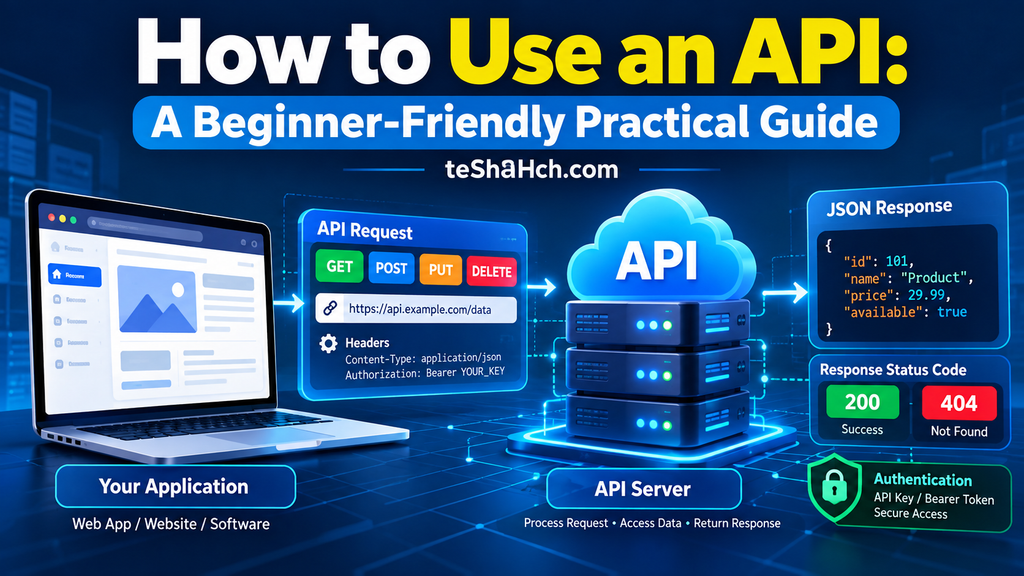
Discover the best AI coding tools, including ChatGPT Codex, Claude Code, Cursor, GitHub Copilot, Google Antigravity, Windsurf, Gemini CLI, Devin, Cline, Aider, and more. Compare features, pricing, use cases, pros, cons, and learn how to choose the right AI coding assistant for your workflow.
Best AI Coding Tools: The Ultimate Guide to AI Code Editors, Coding Assistants & AI Agents
Artificial Intelligence has transformed the way developers write software. What once required hours of manual coding, debugging, documentation, and testing can now be completed in minutes with the help of AI coding tools.
Today’s AI coding tools are much more than simple autocomplete assistants. They can understand natural language, generate production-ready code, explain complex algorithms, fix bugs, write tests, refactor existing projects, create documentation, and even complete entire development tasks autonomously.
Whether you’re a beginner learning your first programming language, a freelance developer building client projects, or part of a large enterprise engineering team, AI-powered development tools can significantly increase productivity while reducing repetitive work.
In this comprehensive guide, you’ll learn everything you need to know about AI coding tools, including how they work, their different categories, their advantages and limitations, and detailed reviews of the most popular AI coding assistants, AI code editors, and AI coding agents available today.
Table of Contents
- What Are AI Coding Tools?
- How AI Is Changing Software Development
- AI Coding Assistant vs AI Code Editor vs AI Coding Agent
- Why Developers Use AI Coding Tools
- Are AI Coding Tools Replacing Programmers?
- Best AI Coding Tools
- ChatGPT Codex
- Claude Code
- Cursor
- GitHub Copilot
- Google Antigravity
- Windsurf
- Gemini CLI
- Amazon Q Developer
- Devin
- Continue
- Cline
- Aider
- Tabnine
- JetBrains AI Assistant
- Feature Comparison
- Pricing Comparison
- Best AI Tool for Different Users
- Security & Privacy
- Frequently Asked Questions
What Are AI Coding Tools?
AI coding tools are software applications that use Artificial Intelligence and Large Language Models (LLMs) to help developers write, understand, improve, and maintain code.
Instead of manually writing every line of code, developers can describe what they want in plain English, and the AI generates the corresponding code.
For example, instead of writing:
Create a responsive login page using React and Tailwind CSS.
You simply ask the AI:
Build a responsive login page with email, password, remember me checkbox, validation, and dark mode.
The AI can generate:
- Complete React components
- CSS or Tailwind styles
- Form validation
- Responsive layouts
- Error handling
- API integration
- Comments
- Documentation
Many modern AI coding tools also understand your existing project, allowing them to generate code that matches your architecture and coding style.
How AI Coding Has Evolved
The journey of AI coding has progressed through several major stages.
First Generation
Traditional code editors provided only:
- Syntax highlighting
- Auto indentation
- Basic autocomplete
- Error highlighting
Developers still had to write almost everything themselves.
Second Generation
AI-powered autocomplete tools appeared.
These tools could predict:
- Variable names
- Functions
- Classes
- Loops
- Repeated code
This significantly improved coding speed.
Third Generation
Large Language Models introduced conversational programming.
Developers could ask:
- Explain this code.
- Optimize this function.
- Convert Python to JavaScript.
- Find the bug.
- Write documentation.
Coding became more interactive than ever before.
Fourth Generation
Modern AI Coding Agents represent the latest evolution.
Instead of only suggesting code, they can:
- Read an entire project
- Search multiple files
- Edit code automatically
- Run terminal commands
- Execute tests
- Fix bugs
- Refactor projects
- Create pull requests
- Complete complex development tasks
This is why the term AI Coding Agent has become increasingly popular.
Why AI Coding Tools Are Becoming Essential
Modern software projects are becoming larger and more complex.
Developers now spend time on many tasks beyond writing code, including:
- Reading documentation
- Understanding unfamiliar codebases
- Debugging
- Refactoring
- Testing
- Writing documentation
- Creating APIs
- Managing databases
- Code reviews
AI helps automate many of these repetitive activities.
Instead of replacing developers, AI allows them to focus on solving business problems and designing better software.
Benefits of AI Coding Tools
Faster Development
Developers can build applications much faster by generating repetitive code automatically.
Better Learning
Beginners can learn programming by asking AI to explain concepts step by step.
Reduced Bugs
AI can identify common mistakes before deployment.
Easier Refactoring
Large projects become easier to maintain because AI can safely restructure code.
Better Documentation
AI can automatically generate:
- README files
- API documentation
- Code comments
- Technical documentation
Improved Code Quality
Many AI tools recommend:
- Better variable names
- Cleaner architecture
- Modern coding practices
- Performance improvements
Increased Productivity
Instead of spending hours on repetitive coding, developers can focus on solving real-world problems.
AI Coding Assistant vs AI Code Editor vs AI Coding Agent
Many people use these terms interchangeably, but they are different.
AI Coding Assistant
An AI Coding Assistant helps developers while they write code.
It provides:
- Autocomplete
- Code suggestions
- Explanations
- Documentation
- Debugging assistance
Examples include:
- GitHub Copilot
- Tabnine
These tools assist developers but generally don’t take independent actions.
AI Code Editor
An AI Code Editor is a full development environment built around AI.
Instead of adding AI as a plugin, AI becomes the central feature of the editor.
Typical capabilities include:
- AI chat
- Project understanding
- Intelligent search
- Multi-file editing
- Context awareness
- Code generation
- Refactoring
Examples include:
- Cursor
- Windsurf
AI Coding Agent
AI Coding Agents are the most advanced category.
They can:
- Analyze large codebases
- Understand project architecture
- Execute commands
- Edit multiple files
- Run tests
- Install packages
- Fix bugs automatically
- Complete development tasks
Examples include:
- ChatGPT Codex
- Claude Code
- Google Antigravity
- Devin
These tools behave more like junior software engineers than autocomplete assistants.
Do AI Coding Tools Replace Developers?
This is one of the most common questions.
The short answer is:
No.
AI can generate code quickly, but software development involves much more than writing code.
Developers still need to:
- Understand business requirements
- Design software architecture
- Make engineering decisions
- Review generated code
- Ensure security
- Optimize performance
- Communicate with stakeholders
- Maintain applications over time
AI is best viewed as a powerful collaborator rather than a replacement.
Developers who learn to work effectively with AI are likely to be more productive than those who avoid it.
How to Choose the Right AI Coding Tool
Not every AI coding tool is suitable for every developer.
Before selecting one, consider the following factors:
Programming Language Support
Ensure the tool supports the languages you use most, such as:
- Python
- JavaScript
- TypeScript
- Java
- C#
- Go
- PHP
- Rust
- C++
- Kotlin
- Swift
IDE Compatibility
Some tools integrate with:
- Visual Studio Code
- JetBrains IDEs
- Visual Studio
- Terminal
- Browser
Choose one that fits your workflow.
AI Model Quality
The quality of code depends heavily on the underlying AI model.
A stronger model generally produces:
- Better logic
- Cleaner code
- Fewer errors
- Better explanations
- More reliable debugging
Project Context
The best tools understand your entire project rather than only the current file.
Context-aware AI provides significantly better suggestions.
Privacy
If you work on commercial or confidential projects, verify:
- Data storage policies
- Enterprise security features
- Local execution options
- Team management capabilities
Pricing
Some tools offer generous free plans, while others require monthly subscriptions for advanced features.
Compare:
- Free usage limits
- Premium features
- Team pricing
- Enterprise plans
Best AI Coding Tools (Detailed Reviews)
1. ChatGPT Codex
Overview
ChatGPT Codex is OpenAI’s AI-powered coding agent designed to help developers write, understand, modify, and automate software development tasks.
Unlike traditional code completion tools, Codex is built to perform complete development workflows. It can understand project context, generate new code, review existing implementations, identify bugs, create tests, and assist with complex programming tasks.
Rather than acting only as an autocomplete engine, Codex behaves like an intelligent software engineering assistant capable of handling multi-step coding requests.
Key Features
- Natural language coding
- Multi-file code generation
- Bug fixing assistance
- Code review
- Test generation
- Documentation writing
- Refactoring support
- Project-aware coding
- Automation workflows
Advantages
- Excellent reasoning capabilities
- Supports many programming languages
- Strong debugging performance
- Easy for beginners
- Useful for professionals
- Great documentation generation
Limitations
- Advanced features may require a paid subscription.
- AI-generated code should always be reviewed before production use.
- Performance depends on prompt quality and available project context.
Best For
- Full-stack developers
- Web developers
- Students
- Freelancers
- Startup teams
- Professional software engineers
2. Claude Code
Overview
Claude Code is an AI coding agent developed by Anthropic with a strong focus on understanding large codebases and assisting developers through a terminal-based workflow.
It is designed to work directly with existing software projects, allowing developers to delegate complex coding tasks using natural language. Rather than simply suggesting code snippets, Claude Code can analyze repositories, modify multiple files, explain architecture, refactor implementations, assist with debugging, and automate repetitive development work.
Its strength lies in handling long context windows, making it particularly effective for enterprise projects and large applications where understanding the broader codebase is essential.
Key Features
- Deep project understanding
- Terminal-based workflow
- Multi-file editing
- Code refactoring
- Bug investigation
- Test generation
- Documentation assistance
- Repository analysis
Advantages
- Excellent long-context understanding
- Strong performance on large projects
- High-quality code explanations
- Effective for maintenance and refactoring
- Supports complex development workflows
Limitations
- Best suited for developers comfortable with terminal-based environments.
- Requires careful review before deploying AI-generated changes.
- Some advanced capabilities may depend on subscription tiers.
Best For
- Backend developers
- Enterprise engineering teams
- DevOps engineers
- Experienced software developers
- Large-scale software projects
3. Cursor
Overview
Cursor is an AI-first code editor built specifically for modern software development. While it is based on Visual Studio Code, Cursor integrates AI deeply into the development experience instead of treating it as an add-on.
Unlike traditional IDEs, Cursor can understand your entire project, search across files, edit multiple files simultaneously, generate new features, explain existing code, and refactor complex applications using natural language instructions.
Because of its speed, context awareness, and developer-friendly interface, Cursor has become one of the most popular AI code editors among professional developers.
Key Features
- AI-powered code editor
- Project-wide understanding
- Multi-file editing
- Intelligent autocomplete
- AI Chat
- Code explanations
- Refactoring assistance
- Documentation generation
- Git integration
- Terminal support
Advantages
- Familiar VS Code experience
- Excellent project awareness
- Fast AI responses
- Great UI and developer experience
- Supports many programming languages
- Strong productivity improvements
Limitations
- Some advanced AI features require a paid plan.
- Large projects may consume more AI credits.
- AI suggestions should still be reviewed.
Best For
- Full-stack developers
- React developers
- Python developers
- Startup teams
- Professional software engineers
4. GitHub Copilot
Overview
GitHub Copilot is one of the most widely used AI coding assistants. It integrates directly into popular IDEs and helps developers by suggesting code as they type.
Over time, GitHub Copilot has evolved beyond autocomplete. It now assists with explaining code, fixing bugs, generating tests, answering programming questions, and improving developer productivity through AI-powered chat features.
Because it integrates seamlessly into existing workflows, it remains a popular choice for both beginners and experienced developers.
Key Features
- AI autocomplete
- Inline code suggestions
- AI Chat
- Code explanations
- Test generation
- Documentation assistance
- Debugging support
- GitHub integration
Advantages
- Easy to learn
- Excellent IDE support
- Strong language coverage
- Improves coding speed
- Large developer ecosystem
Limitations
- Less autonomous than AI coding agents.
- Suggestions are strongest for common programming patterns.
- Generated code should always be validated.
Best For
- Students
- Beginners
- Web developers
- Mobile developers
- Everyday programming
5. Google Antigravity
Overview
Google Antigravity is Google’s AI-first development environment designed to automate software engineering tasks using advanced AI agents.
Rather than acting as a simple assistant, Antigravity focuses on understanding developer intent and completing larger workflows, including generating features, modifying projects, debugging issues, and assisting throughout the software development lifecycle.
Its goal is to reduce repetitive engineering work while allowing developers to remain in control of technical decisions.
Key Features
- AI coding agent
- Project understanding
- Feature generation
- Intelligent debugging
- Multi-file editing
- Workflow automation
- Terminal integration
- Repository analysis
Advantages
- Deep AI integration
- Strong automation capabilities
- Designed for complex projects
- Modern developer workflow
Limitations
- Availability and features may evolve over time.
- Some capabilities may depend on supported environments.
- Still requires developer review.
Best For
- Professional developers
- Large software projects
- Engineering teams
- AI-assisted development workflows
6. Windsurf
Overview
Windsurf is an AI-powered development environment focused on helping developers write, understand, and maintain software with minimal interruption.
It combines intelligent code generation, project awareness, conversational AI, and automation into a single coding environment.
Windsurf aims to reduce repetitive development work while allowing developers to stay focused on solving real engineering problems.
Key Features
- AI code editor
- Intelligent autocomplete
- AI Chat
- Context-aware coding
- Multi-file editing
- Documentation support
- Debugging assistance
- Refactoring
Advantages
- Clean interface
- Good AI integration
- Fast code generation
- Easy learning curve
- Strong productivity
Limitations
- Smaller ecosystem than some competitors.
- Premium features require subscription.
- AI output requires validation.
Best For
- Individual developers
- Freelancers
- Startup companies
- Modern web development
7. Gemini CLI
Overview
Gemini CLI brings Google’s AI capabilities directly into the command-line interface, allowing developers to interact with AI without leaving the terminal.
Developers can ask programming questions, generate scripts, explain code, automate repetitive tasks, and interact with projects using natural language.
It is especially useful for developers who spend most of their workflow inside the terminal.
Key Features
- Terminal AI
- Script generation
- Code explanation
- Command assistance
- Documentation
- Debugging
- Automation
Advantages
- Terminal-first workflow
- Lightweight
- Fast responses
- Good for automation
Limitations
- Less visual than IDE-based tools.
- Best suited for terminal users.
- Requires familiarity with command-line environments.
Best For
- Linux developers
- DevOps engineers
- Backend developers
- Cloud engineers
8. Amazon Q Developer
Overview
Amazon Q Developer is Amazon’s AI coding assistant designed to improve software development, especially for developers working within the AWS ecosystem.
It helps developers write code, understand cloud architectures, troubleshoot issues, generate documentation, and accelerate application development.
Key Features
- AI coding assistance
- AWS integration
- Code explanations
- Security recommendations
- Cloud architecture guidance
- Documentation generation
Advantages
- Strong AWS knowledge
- Enterprise-ready
- Cloud-focused development
- Security assistance
Limitations
- Best experience within AWS environments.
- Less useful for developers with no AWS usage.
- Advanced enterprise features may require paid plans.
Best For
- AWS developers
- Cloud engineers
- Enterprise software teams
9. Devin
Overview
Devin is one of the first AI systems designed as an autonomous software engineering agent.
Instead of simply suggesting code, Devin is built to plan, execute, debug, test, and complete software engineering tasks with minimal human intervention.
Developers typically assign goals rather than writing every implementation step themselves.
Key Features
- Autonomous development
- Task planning
- Debugging
- Testing
- Repository understanding
- Documentation
- Multi-step reasoning
Advantages
- High level of automation
- Excellent for repetitive engineering tasks
- Can complete longer workflows
Limitations
- Requires human supervision.
- Best suited for experienced teams.
- AI-generated work should always be reviewed.
Best For
- Enterprise engineering
- Large software projects
- AI-assisted development teams
10. Continue
Overview
Continue is an open-source AI coding assistant that integrates directly into Visual Studio Code and JetBrains IDEs.
It allows developers to connect multiple AI models while maintaining flexibility and customization.
Organizations that prefer open-source tooling often choose Continue because of its extensibility.
Key Features
- Open-source
- AI Chat
- Multiple model support
- Code generation
- Refactoring
- Documentation
- IDE integration
Advantages
- Free
- Highly customizable
- Community-driven
- Supports many AI providers
Limitations
- Configuration may require technical knowledge.
- User experience depends on the connected AI model.
Best For
- Open-source enthusiasts
- Developers wanting full control
- Technical teams
11. Cline
Overview
Cline is an open-source autonomous coding assistant designed for Visual Studio Code.
Unlike traditional AI autocomplete tools, Cline focuses on completing larger development tasks by interacting with your project, terminal, and files while keeping the developer in control.
Key Features
- AI agent
- File editing
- Terminal support
- Code generation
- Project understanding
- Automation
Advantages
- Open source
- Active community
- Flexible workflows
- Supports multiple AI providers
Limitations
- Requires configuration.
- Best suited for intermediate and advanced users.
Best For
- Developers
- AI enthusiasts
- VS Code users
12. Aider
Overview
Aider is a terminal-based AI coding assistant designed for developers who prefer Git-based workflows.
It specializes in modifying existing repositories using conversational instructions while tracking changes through Git.
Key Features
- Terminal interface
- Git integration
- Multi-file editing
- AI assistance
- Code explanation
- Refactoring
Advantages
- Excellent Git workflow
- Lightweight
- Fast
- Open source
Limitations
- Terminal-focused interface.
- Less beginner-friendly than graphical editors.
Best For
- Git users
- Backend developers
- Open-source contributors
13. Tabnine
Overview
Tabnine is an AI-powered coding assistant that emphasizes developer privacy and secure code completion.
It provides intelligent code suggestions while offering deployment options suitable for organizations with strict security requirements.
Key Features
- AI autocomplete
- Private deployment
- Multiple IDE support
- Team management
- Secure coding assistance
Advantages
- Privacy-focused
- Enterprise support
- Fast autocomplete
- Wide IDE compatibility
Limitations
- Less autonomous than AI coding agents.
- Focuses primarily on coding assistance rather than full workflow automation.
Best For
- Privacy-conscious organizations
- Enterprise developers
- Large engineering teams
14. JetBrains AI Assistant
Overview
JetBrains AI Assistant integrates AI directly into JetBrains IDEs, providing coding assistance without disrupting existing developer workflows.
It is designed for developers who already use IntelliJ IDEA, PyCharm, WebStorm, Rider, PhpStorm, GoLand, and other JetBrains products.
Key Features
- AI Chat
- Code completion
- Documentation generation
- Commit message generation
- Code explanations
- Refactoring support
Advantages
- Excellent JetBrains integration
- Familiar workflow
- Productivity improvements
- Strong language support
Limitations
- Best suited for JetBrains IDE users.
- Some features require subscription.
Best For
- Java developers
- Kotlin developers
- Enterprise software teams
- Existing JetBrains users
AI Coding Tools Comparison Table
| Tool | Category | Beginner Friendly | AI Chat | Multi-file Editing | Terminal Support | Best For |
|---|---|---|---|---|---|---|
| ChatGPT Codex | AI Agent | ⭐⭐⭐⭐⭐ | ✅ | ✅ | ✅ | General Development |
| Claude Code | AI Agent | ⭐⭐⭐⭐ | ✅ | ✅ | ✅ | Large Codebases |
| Cursor | AI Code Editor | ⭐⭐⭐⭐⭐ | ✅ | ✅ | ✅ | Everyday Development |
| GitHub Copilot | AI Assistant | ⭐⭐⭐⭐⭐ | ✅ | Limited | ❌ | Fast Coding |
| Google Antigravity | AI Agent | ⭐⭐⭐⭐ | ✅ | ✅ | ✅ | AI-First Development |
| Windsurf | AI Code Editor | ⭐⭐⭐⭐ | ✅ | ✅ | ✅ | Modern Development |
| Gemini CLI | Terminal AI | ⭐⭐⭐ | Limited | Limited | ✅ | CLI Workflows |
| Amazon Q Developer | AI Assistant | ⭐⭐⭐⭐ | ✅ | Limited | Limited | AWS Development |
| Devin | Autonomous Agent | ⭐⭐⭐ | ✅ | ✅ | ✅ | Enterprise Automation |
| Continue | Open Source | ⭐⭐⭐⭐ | ✅ | ✅ | Limited | Custom AI |
| Cline | AI Agent | ⭐⭐⭐ | ✅ | ✅ | ✅ | VS Code Users |
| Aider | Terminal AI | ⭐⭐⭐ | Limited | ✅ | ✅ | Git Workflows |
| Tabnine | AI Assistant | ⭐⭐⭐⭐⭐ | Limited | ❌ | ❌ | Secure Autocomplete |
| JetBrains AI Assistant | AI Assistant | ⭐⭐⭐⭐ | ✅ | Limited | ❌ | JetBrains IDEs |
AI Coding Tools Pricing Comparison
Pricing changes frequently as companies introduce new plans and features. Before choosing a tool, always compare the latest pricing, usage limits, and enterprise options on the official website.
| Tool | Free Plan | Paid Plan | Enterprise Available |
|---|---|---|---|
| ChatGPT Codex | Yes (limited) | Yes | Yes |
| Claude Code | Limited | Yes | Yes |
| Cursor | Yes | Yes | Yes |
| GitHub Copilot | Limited/Trial | Yes | Yes |
| Google Antigravity | Varies | Varies | Yes |
| Windsurf | Yes | Yes | Yes |
| Gemini CLI | Yes | Yes | Yes |
| Amazon Q Developer | Yes | Yes | Yes |
| Devin | No/Restricted | Yes | Yes |
| Continue | Yes | Optional AI Costs | Yes |
| Cline | Yes | Depends on AI Provider | Yes |
| Aider | Yes | Depends on AI Provider | No |
| Tabnine | Yes | Yes | Yes |
| JetBrains AI Assistant | Trial/Subscription | Yes | Yes |
Tip: If pricing is a major factor, open-source tools like Continue, Cline, and Aider can be very cost-effective when paired with compatible AI providers.
Free vs Paid AI Coding Tools
Free AI Coding Tools
Free plans are ideal for:
- Students
- Beginners
- Learning programming
- Small personal projects
- Open-source contributions
- Experimenting with AI workflows
Advantages
- No initial investment
- Easy to try different tools
- Great for learning
- Community support
Limitations
- Usage limits
- Fewer AI requests
- Smaller context windows
- Limited premium features
Paid AI Coding Tools
Professional developers often benefit from paid plans because they offer:
- Faster responses
- Larger context windows
- More AI credits
- Better team collaboration
- Enterprise security
- Priority access to new features
For commercial software development, paid plans often provide the best long-term value.
Best AI Coding Tool for Beginners
If you’re just starting your programming journey, choose tools that are easy to understand and explain concepts clearly.
Recommended
🥇 ChatGPT Codex
Why?
- Explains code
- Teaches programming concepts
- Generates examples
- Helps debug beginner mistakes
🥈 GitHub Copilot
Best for:
- Learning while coding
- Faster practice
- Everyday programming
🥉 Cursor
Best for:
- Beginners who want an AI-first editor
- Learning modern development workflows
Best AI Coding Tool for Students
Students need tools that help them understand—not just generate—code.
Recommended options include:
- ChatGPT Codex
- Cursor
- GitHub Copilot
- Continue
These tools are excellent for:
- Assignments
- Practice projects
- Learning new languages
- Exploring algorithms
- Understanding documentation
Best AI Coding Tool for Professional Developers
Professional engineers usually require advanced project understanding, automation, and reliability.
Top choices include:
- Claude Code
- Cursor
- ChatGPT Codex
- Google Antigravity
- Devin
These tools are especially valuable for:
- Large codebases
- Refactoring
- Code reviews
- Architecture discussions
- Multi-file changes
- Team collaboration
Best AI Coding Tool for Enterprise Teams
Large organizations prioritize security, scalability, compliance, and collaboration.
Popular enterprise choices include:
- Claude Code
- Amazon Q Developer
- GitHub Copilot Enterprise
- Tabnine Enterprise
- ChatGPT Enterprise (with Codex capabilities)
- JetBrains AI Assistant
Important enterprise features include:
- Access control
- Audit logs
- Data privacy
- Security policies
- Team management
- Centralized billing
Security and Privacy Considerations
AI coding tools can improve productivity, but developers should remain mindful of security.
Never Blindly Trust AI
Always review:
- Generated code
- Database queries
- Authentication logic
- Encryption methods
- API integrations
AI can make mistakes or introduce subtle bugs.
Protect Sensitive Information
Avoid sharing:
- API keys
- Passwords
- Private certificates
- Customer data
- Confidential source code (unless your organization’s policies permit it)
Use enterprise or self-hosted solutions when working with sensitive projects.
Verify Generated Code
Before deployment:
- Run automated tests
- Perform code reviews
- Check performance
- Validate security
- Review dependencies
AI accelerates development, but human oversight remains essential.
Common Mistakes When Using AI Coding Tools
Copying Code Without Understanding It
Always understand the generated code before using it in production.
Ignoring Security
Never assume AI-generated code is automatically secure.
Poor Prompts
The quality of the output depends heavily on the quality of your prompt.
Instead of:
Build a website.
Try:
Build a responsive React dashboard with authentication, dark mode, role-based access, REST API integration, and TypeScript support.
Specific prompts produce better results.
Skipping Testing
Even excellent AI-generated code should be tested thoroughly.
Always verify:
- Functionality
- Edge cases
- Error handling
- Performance
- Security
Tips for Getting Better Results from AI Coding Tools
To maximize productivity:
- Write clear and detailed prompts.
- Provide project context whenever possible.
- Break complex tasks into smaller steps.
- Review generated code carefully.
- Ask AI to explain unfamiliar code.
- Request alternative implementations.
- Use version control before applying large AI-generated changes.
- Combine AI assistance with your own engineering judgment.
The better your communication with the AI, the better the results.
The Future of AI Coding
AI coding tools continue to evolve rapidly.
In the coming years, developers can expect:
- More autonomous AI agents
- Improved reasoning capabilities
- Better project-wide understanding
- Smarter debugging
- Automated testing
- Intelligent code reviews
- AI-assisted DevOps
- Faster software delivery
- More personalized coding assistance
Rather than replacing developers, AI is increasingly becoming a collaborative partner throughout the software development lifecycle.
Developers who embrace AI while strengthening their problem-solving, architecture, and communication skills will be well-positioned for the future.
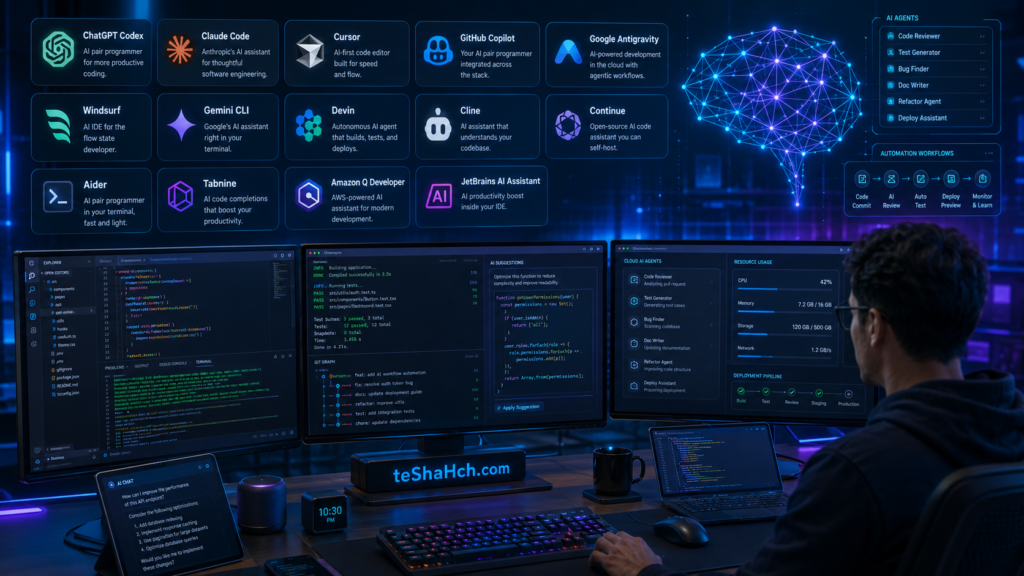
AI coding tools have fundamentally changed how software is built.
Whether you’re learning programming, building personal projects, freelancing, or working on enterprise applications, there is an AI tool designed for your workflow.
If you want an AI-first code editor, Cursor and Windsurf offer modern development experiences.
If you prefer intelligent coding assistance within your existing IDE, GitHub Copilot and JetBrains AI Assistant are strong choices.
If you’re looking for advanced AI agents capable of understanding large projects and completing complex development tasks, ChatGPT Codex, Claude Code, Google Antigravity, and Devin represent the next generation of AI-powered software engineering.
The best choice ultimately depends on your programming experience, preferred workflow, budget, and the complexity of your projects.
The most productive developers won’t be those who rely entirely on AI—but those who know how to combine AI assistance with strong engineering skills, careful code review, and thoughtful software design.
Frequently Asked Questions (FAQ)
1. What is an AI coding tool?
An AI coding tool uses artificial intelligence to help developers write, understand, debug, refactor, and maintain code more efficiently.
2. What is the difference between an AI coding assistant and an AI coding agent?
An AI coding assistant mainly provides suggestions and explanations, while an AI coding agent can complete larger development tasks with greater autonomy.
3. Are AI coding tools free?
Many offer free plans with limited features, while advanced capabilities are typically available through paid subscriptions.
4. Which AI coding tool is best for beginners?
ChatGPT Codex, Cursor, and GitHub Copilot are excellent choices for beginners due to their ease of use and learning support.
5. Which AI coding tool is best for professional developers?
Claude Code, Cursor, ChatGPT Codex, and Google Antigravity are among the most capable options for professional development workflows.
6. Can AI write complete applications?
Yes, AI can generate substantial portions of an application, but human review, testing, and architectural decisions are still necessary.
7. Does AI replace software developers?
No. AI enhances productivity but does not replace the need for software engineering expertise, problem-solving, or design decisions.
8. Which AI coding tool supports VS Code?
Several tools support VS Code, including Cursor, GitHub Copilot, Continue, Cline, and Tabnine.
9. Which AI coding tool works best with JetBrains IDEs?
JetBrains AI Assistant integrates directly with JetBrains products. GitHub Copilot and Continue also offer support for many JetBrains IDEs.
10. Can AI help fix bugs?
Yes. Most modern AI coding tools can identify common issues, suggest fixes, and explain why problems occur.
11. Can AI generate unit tests?
Yes. Many AI coding tools can create unit tests, integration tests, and testing boilerplates for various programming languages.
12. Which programming languages are supported?
Most tools support popular languages such as Python, JavaScript, TypeScript, Java, C#, C++, Go, PHP, Ruby, Rust, Kotlin, and Swift.
13. Is AI-generated code production-ready?
Sometimes, but every AI-generated solution should be reviewed, tested, and validated before deployment.
14. Are AI coding tools secure?
They can be secure when used responsibly, but developers should avoid exposing sensitive information and follow their organization’s security policies.
15. Can AI explain existing code?
Yes. Modern AI tools can explain functions, classes, algorithms, and project architecture in plain language.
16. Which AI tool is best for enterprise teams?
Enterprise teams often choose Claude Code, Amazon Q Developer, GitHub Copilot Enterprise, Tabnine Enterprise, or ChatGPT Enterprise, depending on their requirements.
17. Can AI generate documentation?
Yes. Many AI tools can create README files, API documentation, inline comments, and technical documentation.
18. What is context-aware coding?
Context-aware coding means the AI understands your project, related files, and existing code before generating suggestions.
19. Should beginners rely entirely on AI?
No. AI should be used as a learning assistant rather than a replacement for understanding programming fundamentals.
20. How do I choose the best AI coding tool?
Consider your programming language, preferred IDE, workflow, budget, privacy requirements, collaboration needs, and the size of your projects.